Immediate answer
Do not design an SMTP AUTH workaround around Security Defaults.
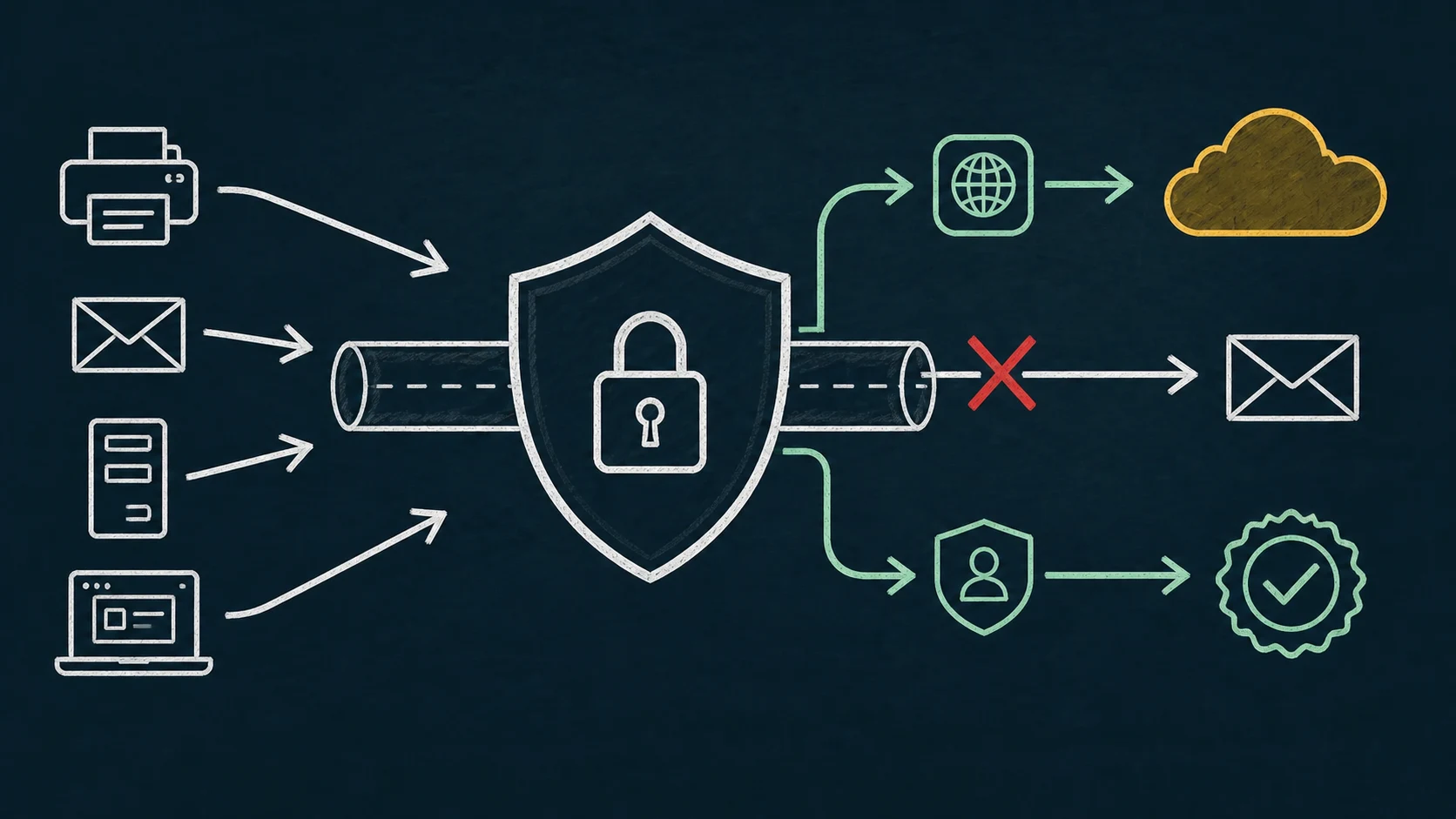
Microsoft’s current Exchange Online documentation states that if Security Defaults is enabled, SMTP AUTH is already disabled. This applies at the protocol availability layer: choosing OAuth instead of a password does not by itself make SMTP AUTH available under that configuration.
RelayBridge does not let a tenant keep Security Defaults enabled while bypassing Microsoft’s SMTP AUTH restriction. If Security Defaults must remain enabled, choose another supported Microsoft-compatible delivery path.
That does not make every printer or legacy application impossible to support. It means the administrator must separate the tenant’s policy model from the client’s authentication capabilities and select a mail-flow option that satisfies both.
Identity vocabulary
MFA, Security Defaults, Conditional Access, and SMTP AUTH solve different problems.
| Control | Purpose | SMTP relevance |
|---|---|---|
| MFA | Adds authentication assurance beyond a single reusable credential. | It is not a mail protocol or an SMTP configuration switch. |
| Security Defaults | A Microsoft-managed baseline bundle that blocks legacy authentication and enforces protections broadly. | Exchange documents SMTP AUTH as disabled when it is enabled. |
| Conditional Access | A customizable Entra policy engine based on users, apps, clients, conditions, and controls. | Legacy-auth blocking and exceptions require deliberate policy design and licensing. |
| Authentication policy | Exchange control over which Basic authentication protocols a user can use. | It can block Basic for SMTP without defining whether SMTP AUTH itself is enabled. |
| SMTP AUTH setting | Exchange organization- and mailbox-level protocol availability. | Must allow the protocol before either Basic or OAuth SMTP submission can use it. |
| OAuth | A token-based authentication mechanism. | XOAUTH2 can authenticate SMTP AUTH only where the protocol is permitted. |
Security Defaults is all-or-on/off and is not a granular exception framework. Microsoft recommends Conditional Access for organizations that need customized policies. Disabling Security Defaults without immediately replacing its protections with appropriate Conditional Access policies creates a security gap; it is not a printer configuration step.
Read-only Exchange checks
Verify protocol settings before blaming the device.
After connecting with the current Exchange Online PowerShell module, these diagnostic commands show the organization-wide and mailbox-level SMTP AUTH settings. Replace the placeholder with the intended service mailbox. They do not change tenant state.
Get-TransportConfig | Format-List SmtpClientAuthenticationDisabled
Get-CASMailbox -Identity <MailboxIdentity> |
  Format-List SmtpClientAuthenticationDisabled
The organization value establishes the default. A mailbox value of $null inherits it, while explicit values can override it. These commands do not report the full Entra policy picture, so also review Security Defaults, Conditional Access, and Exchange authentication policies through your approved administrative process.
A password failure, an OAuth failure, and a protocol-disabled failure are not interchangeable. Preserve the full SMTP response and correlate it with Entra sign-in and Exchange evidence.
Honest decision tree
Start with the tenant security requirement.
Security Defaults must remain enabled
SMTP AUTH is unavailable under Microsoft’s documented behavior. Evaluate a different supported mail-flow method such as an appropriate Graph integration for rewriteable applications or another Microsoft 365 option whose requirements fit.
The client supports Microsoft OAuth natively
Prefer the vendor-supported path, but confirm the tenant policy permits SMTP AUTH if that is the protocol the integration uses. “Supports OAuth” does not identify the underlying mail-flow method.
The organization needs granular policy
Evaluate Conditional Access and Exchange controls as an identity architecture decision. Do not disable Security Defaults until equivalent protections have been designed and activated by responsible administrators.
OAuth SMTP AUTH is intentionally available
A local bridge can handle the legacy-client side while using OAuth toward Exchange Online, provided intake is least-privilege and the selected identity is authorized.
Use the Microsoft 365 SMTP options comparison to assess recipient, network, identity, and volume constraints rather than treating SMTP AUTH as the only answer.
Policy-compatible use
Where RelayBridge fits—and where it does not.
RelayBridge may fit when an organization deliberately uses a policy model in which OAuth SMTP AUTH is available, but printers or applications on the local network cannot perform OAuth. RelayBridge accepts controlled local SMTP, queues durably, and authenticates the Microsoft-facing SMTP connection with OAuth.
It does not bypass Security Defaults, Conditional Access, Exchange authorization, or mailbox policy. There is no RelayBridge-operated mail-relay cloud. Review the implementation-specific Microsoft 365 security model and local bridge architecture.
Tenant policy remains under your administrators’ control: RelayBridge is neither a Microsoft product nor a certified integration. You can inspect its public, RelayBridge-owned MPL-2.0 source before evaluating the boundary.
Use native OAuth when it fits the actual tenant policy, use Graph or an application API for cleanly rewriteable software, and keep an existing appropriate MTA when it already provides the required controls.
Migration checklist
Turn policy names into tested delivery requirements.
- 01
Document the required security baseline
Decide whether Security Defaults must remain enabled or whether the organization already operates equivalent Conditional Access controls.
- 02
Identify the mail protocol behind “OAuth”
Confirm whether a vendor integration uses SMTP AUTH, Graph, or another service. The token label alone is insufficient.
- 03
Inspect Exchange and Entra policy
Review organization and mailbox SMTP AUTH settings, authentication policies, Conditional Access, identities, and required permissions.
- 04
Choose the supported path
Evaluate recipient scope, external delivery, source network, volume, audit requirements, and outage behavior.
- 05
Test denial as well as success
Verify unauthorized sources, senders, recipients, and identities are rejected while the intended flow remains observable.
Clarifications
Frequently asked questions.
Does an app password solve Security Defaults?
No. App passwords are a legacy compatibility mechanism, and Security Defaults blocks legacy authentication. They do not re-enable SMTP AUTH under the documented configuration.
Does OAuth always work when Basic authentication is blocked?
No. OAuth avoids the Basic mechanism, but the underlying protocol must also be enabled and allowed by relevant tenant policy.
Should we disable Security Defaults for one printer?
That is a tenant-wide security architecture decision, not a device fix. First evaluate another supported mail-flow path; if customized policy is required, design equivalent Conditional Access protections before changing the baseline.
Authoritative sources