Architecture

A local bridge between legacy SMTP
and modern mail platforms.

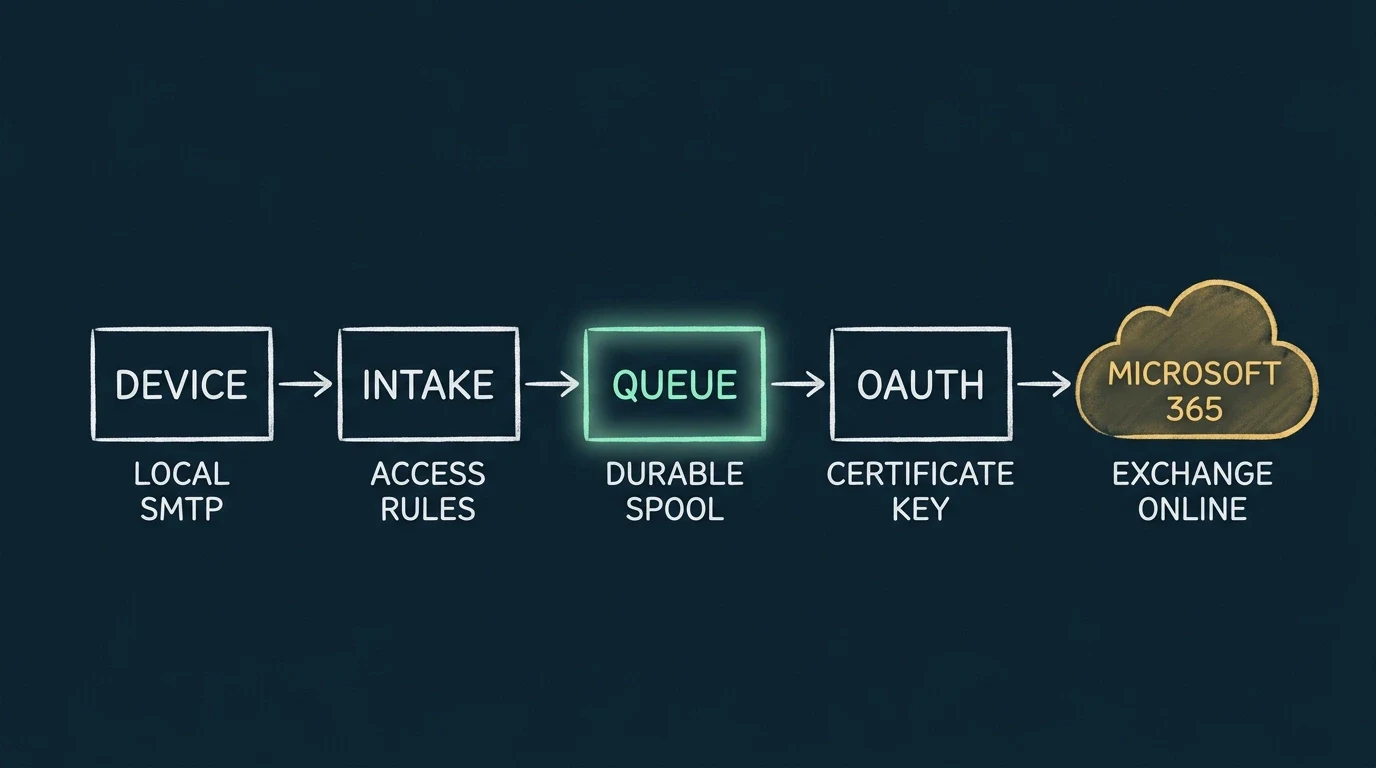
RelayBridge v1.0 targets Microsoft 365 / Exchange Online. Your existing devices keep using the SMTP they understand while RelayBridge handles the current Microsoft identity and transport requirements they cannot.

SIMPLE MAIL PATH
01

Submit

Legacy devices send ordinary SMTP on the trusted local network.

02

Queue

RelayBridge restricts intake, preserves the message, and persists it locally.

03

Authenticate

A local certificate identifies RelayBridge to Microsoft Entra.

04

Transfer

Exchange Online SMTP accepts the message over TLS using XOAUTH2.

The technical path

RelayBridge separates a deliberately constrained local SMTP boundary from the modern Microsoft 365 submission boundary.

INBOUND

Legacy SMTP intake

A configured device connects to RelayBridge from an explicitly trusted private-network address. Device-level restrictions define what it may submit. Inbound STARTTLS is not currently available, so this boundary must remain on a trusted network.

LOCAL

Durable spool and queue

The raw MIME payload is written locally, while SQLite retains queue metadata. RelayBridge reports local acceptance only after the durable persistence boundary is reached. Temporary failures are retried, including after an unexpected restart.

IDENTITY

Certificate-based OAuth

RelayBridge uses a dedicated Entra application and a locally held certificate private key to obtain an Exchange resource token. There is no permanent client secret in the design.

OUTBOUND

Exchange Online SMTP

RelayBridge connects to Microsoft 365 SMTP using mandatory TLS and XOAUTH2. Microsoft Graph is not used as the mail-delivery transport. Success means Microsoft 365 returned the final successful SMTP response—not that the message reached an inbox.

Message integrity

The message stays
the message.

RelayBridge preserves the raw MIME message rather than reconstructing it through a separate mail API. Headers, structure, attachments, and content move through the queue as the original SMTP submission.

Microsoft 365 may still apply its own normal transport, policy, and filtering behavior after SMTP acceptance.

Trust the details

Read the public security architecture.

See the identity model, permission scope, queue boundary, current limitations, and explicit non-goals.