Immediate answer
HVE is now generally available—and intentionally internal only.
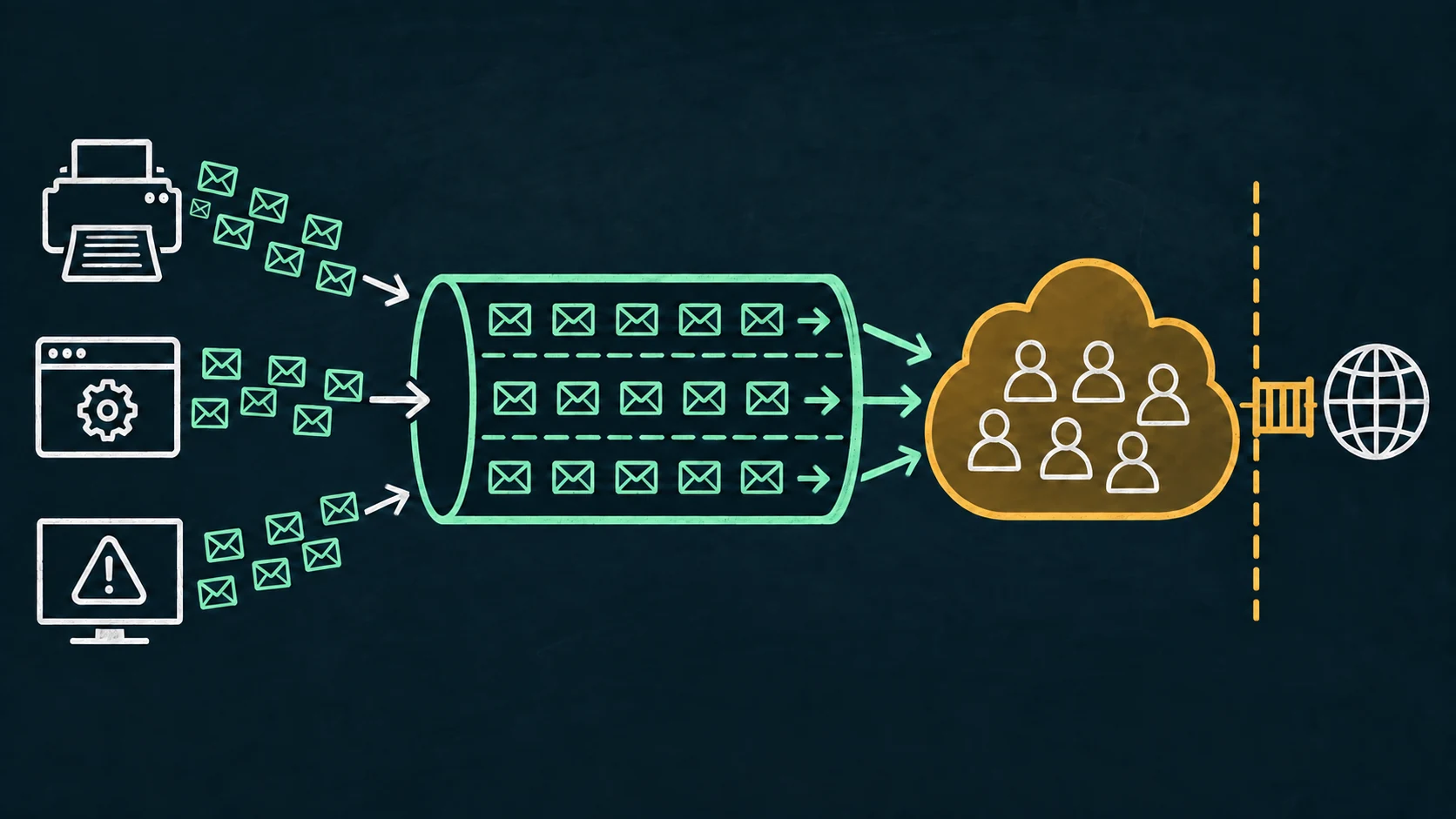
Microsoft 365 High Volume Email became generally available in March 2026. It gives applications and devices dedicated HVE accounts for automated, transactional, and operational mail to recipients inside the same tenant without the ordinary mailbox recipient-rate and message-rate limits.
Metered billing began on June 1, 2026. Microsoft announced pricing based on expanded delivered recipients, currently documented as USD $42 per one million recipients. Pricing and availability can change, so confirm the tenant's current commerce terms before designing around it.
HVE accounts cannot send to external recipients. A message containing an external address needs a different delivery path; HVE is not a general-purpose replacement for every SMTP relay.
Service shape
Capacity is broad, but the service contract is narrow.
| Property | Current documented HVE behavior | Design implication |
|---|---|---|
| Recipients | Internal recipients in the tenant only | Split or redesign workflows that require external delivery |
| Recipients per message | Up to 50 | Batch large audiences rather than relying on one giant message |
| Message size | Up to 10 MB | Large scan attachments may not fit |
| Accounts | Up to 100 HVE accounts per tenant | Assign ownership and workload boundaries deliberately |
| Message and recipient rate | No ordinary HVE message-rate or recipient-rate limit is documented | Connection, abuse, billing, and recipient boundaries still apply |
| Distribution lists | HVE accounts cannot be members of distribution lists or mail-enabled security groups | Do not design sender identity around unsupported group membership |
HVE is not a marketing platform. It does not provide campaign creation, engagement tracking, or permission-management tooling. Microsoft positions it for high-trust operational workloads such as payroll notifications, IT alerts, line-of-business messages, and device-driven workflows.
SMTP path
The dedicated endpoint still requires capable clients.
Microsoft documents smtp.hve.mx.microsoft as the recommended HVE smart host. Clients connect on TCP port 587 with TLS/STARTTLS and authenticate with HVE account credentials or an OAuth token. The older smtp-hve.office365.com endpoint is documented for future deprecation and should not anchor a new design.
A legacy printer that cannot negotiate current TLS or use the configured authentication mechanism does not become compatible merely because the endpoint is HVE. Validate the exact model, firmware, message size, recipient pattern, and authentication method.
Decision matrix
Choose by recipients and workload—not only by volume.
| Need | Strong starting point | Important boundary |
|---|---|---|
| High-volume internal operational mail | Microsoft 365 HVE | Internal recipients only; billing policy required |
| Normal application or mailbox submission | OAuth SMTP client submission or Microsoft Graph | Mailbox/service limits and client integration apply |
| High-volume external application mail | Azure Communication Services Email or a suitable specialist provider | Different service, identity, domain, cost, and operational model |
| Legacy device needs ordinary local SMTP | Controlled local bridge or managed relay | The upstream service must still match recipient and capacity requirements |
The Microsoft 365 SMTP options comparison covers client submission, connector relay, Direct Send, and HVE across identity, port, recipient, and network boundaries.
Operational evidence
HVE has its own authentication and billing failure modes.
Before diagnosing OAuth, confirm the HVE account, endpoint, TLS mode, billing policy, and tenant availability. Microsoft documents HVE-specific responses including malformed XOAUTH2 data, expired tokens, invalid API permissions, and an application that is not allowed for the HVE account.
Authentication unsuccessful
Check the chosen credential model, account status, token audience and lifetime, allowed application, and exact Microsoft error text.
Billing failure
An HVE account without a valid billing policy—or with an inactive associated subscription—cannot send once billing enforcement applies.
External recipient
Do not retry an unsupported external address as though the condition were transient. Route the workload through a service designed for that recipient scope.
Product boundary
RelayBridge RC1 does not use the HVE delivery endpoint.
RelayBridge v1.0.0-rc.1 delivers to Exchange Online through OAuth-authenticated SMTP client submission. It does not currently route queued mail through HVE, manage HVE billing, or split internal and external recipients between services.
RelayBridge remains relevant when a legacy client needs a restricted local SMTP endpoint and the resulting volume and recipient pattern fit ordinary Exchange Online client submission. For high-volume internal-only traffic, evaluate HVE directly rather than inserting an unnecessary compatibility layer.
Evaluation
Confirm all five boundaries before onboarding a workload.
- 01
Recipients
Prove that every required recipient is internal to the tenant.
- 02
Message shape
Validate recipient count, message size, attachments, and peak connection behavior.
- 03
Client capability
Confirm the recommended endpoint, port 587, STARTTLS, and the selected authentication method.
- 04
Billing ownership
Assign and test the required billing policy and associated Azure subscription.
- 05
Failure routing
Decide how unsupported recipients, billing failures, token errors, and service outages become visible to operators.
Clarifications
Frequently asked questions.
Can HVE send to an external customer?
No. Microsoft's current service boundary is internal recipients within the tenant only.
Does HVE remove every sending limit?
No. It removes the ordinary HVE message-rate and recipient-rate limits, but retains recipient scope, message size, recipients-per-message, connection, abuse, account, and billing boundaries.
Can every printer use HVE directly?
No. The device still needs compatible SMTP mode, current TLS, and the selected HVE authentication capability.
Authoritative sources